

Scriptly
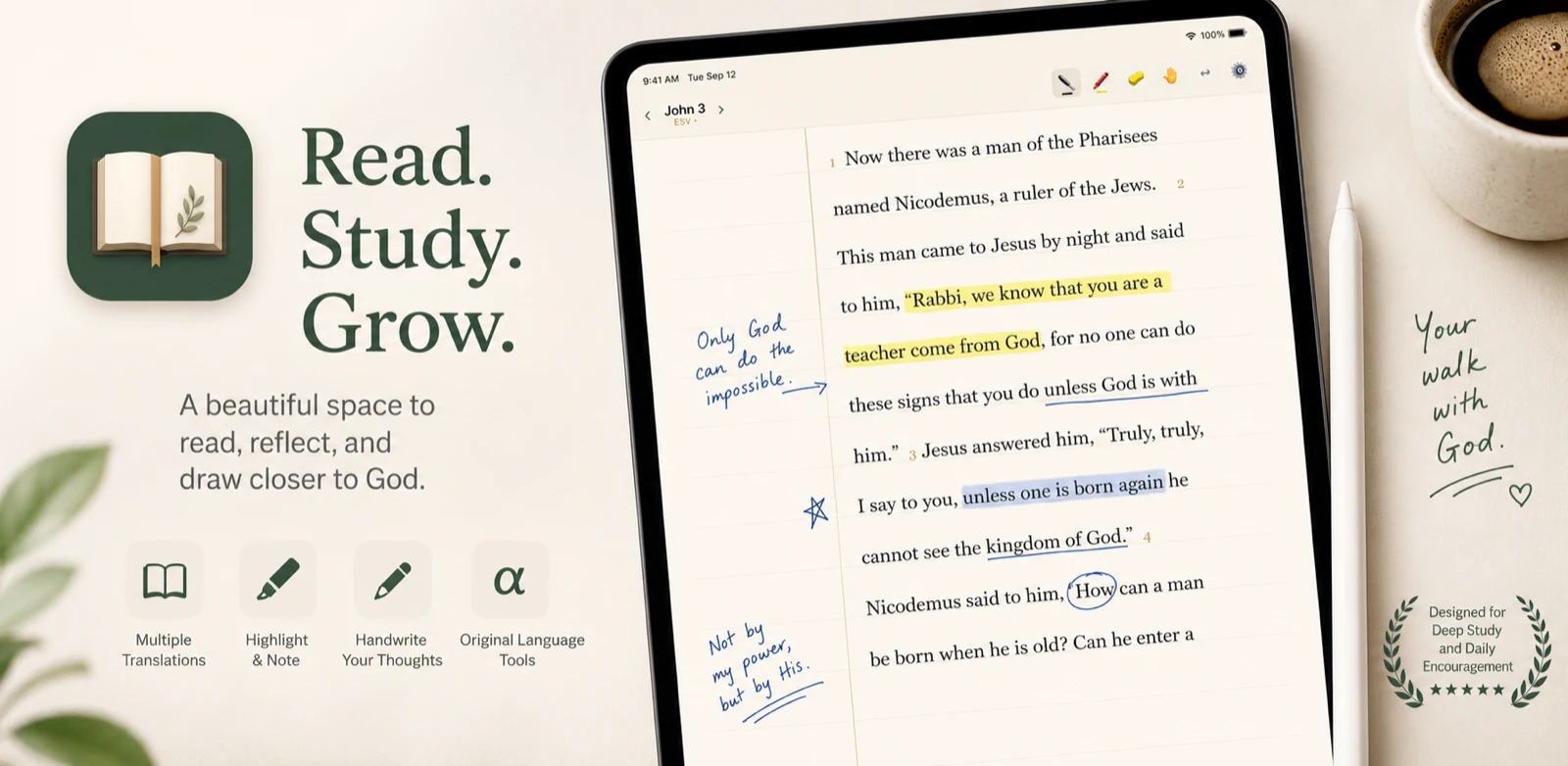
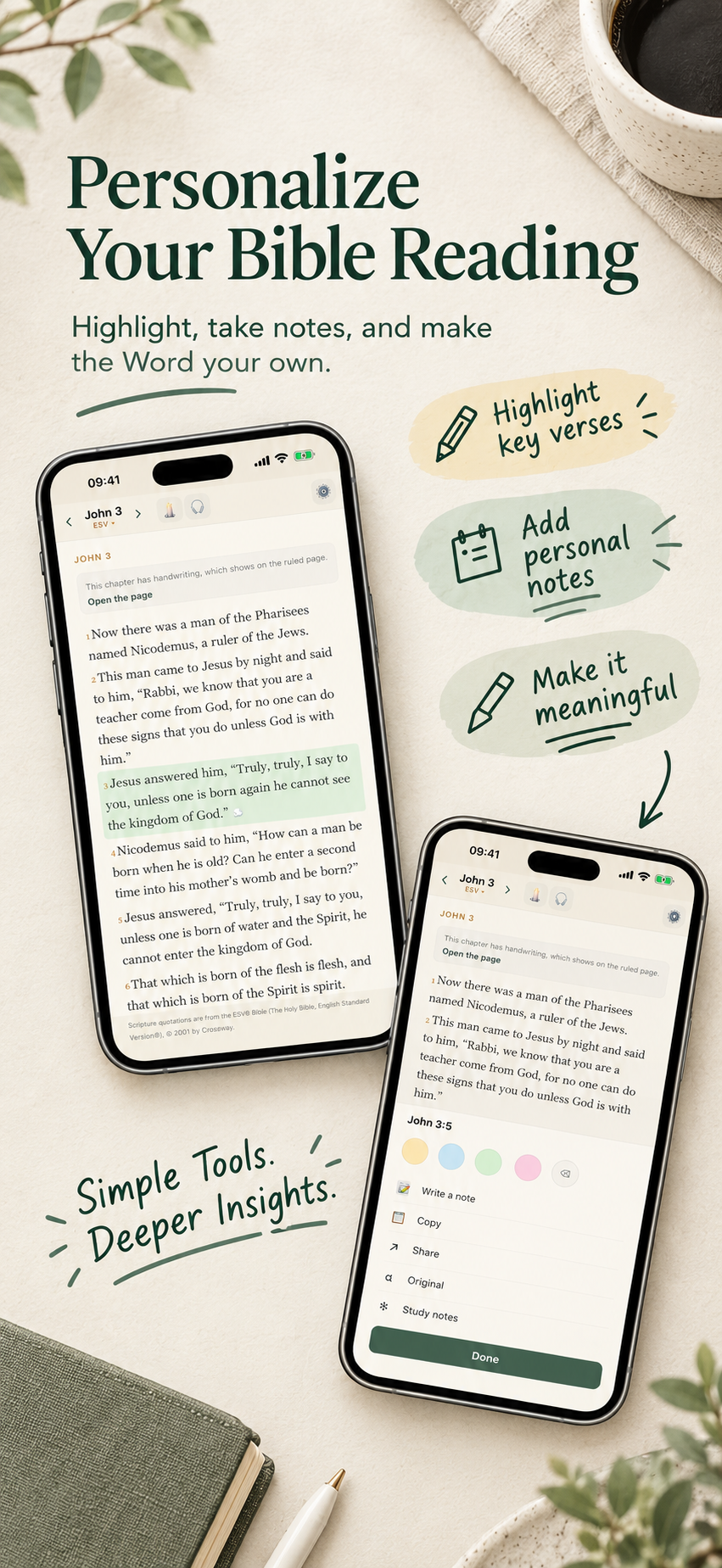
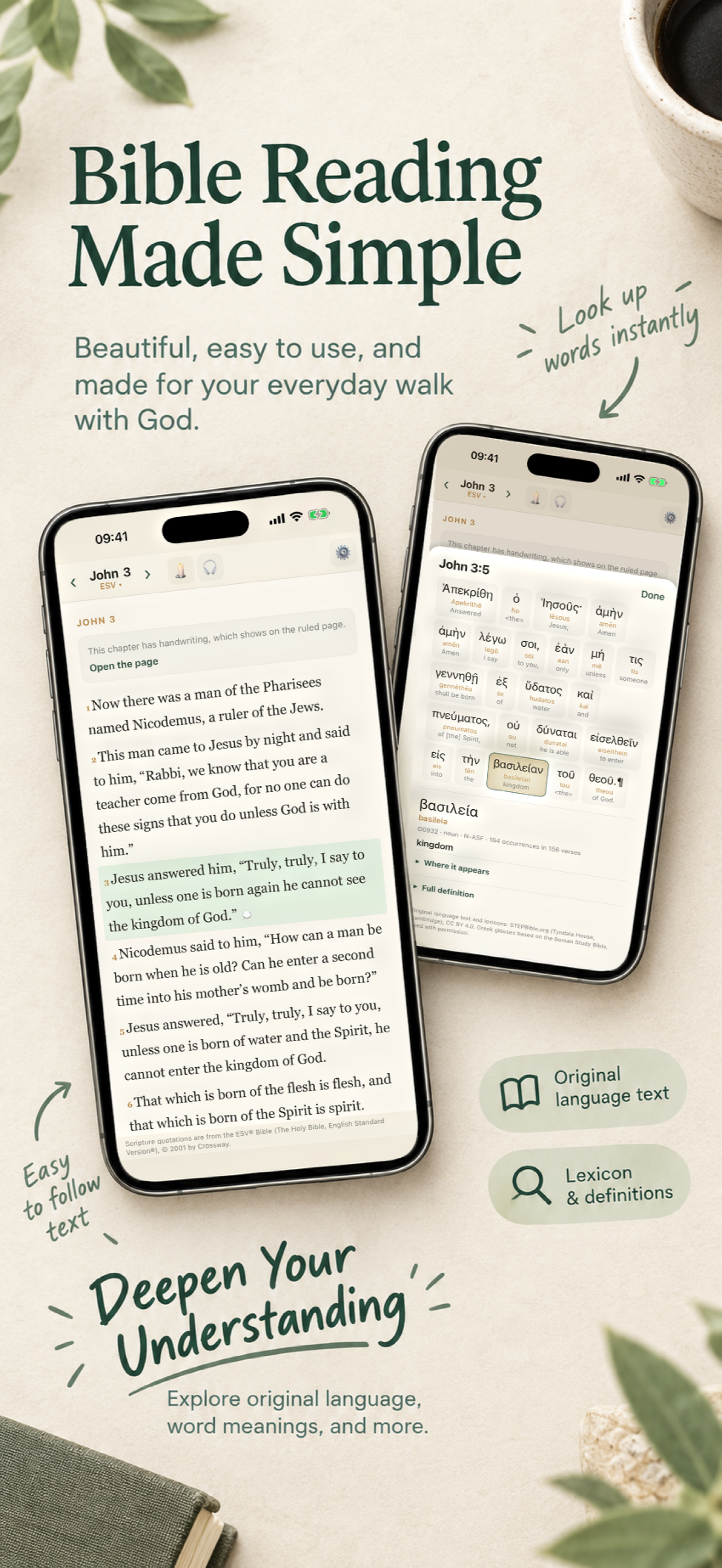
A quiet, beautiful Bible for iPhone, iPad and Android — made for Apple Pencil and S Pen, and just as much at home in one hand. Read Scripture on a real ruled page and write your notes in the margin, right where they belong. No feeds, no clutter. Just you and the text.


Scripture and your pen,
on one page

Made for your stylus
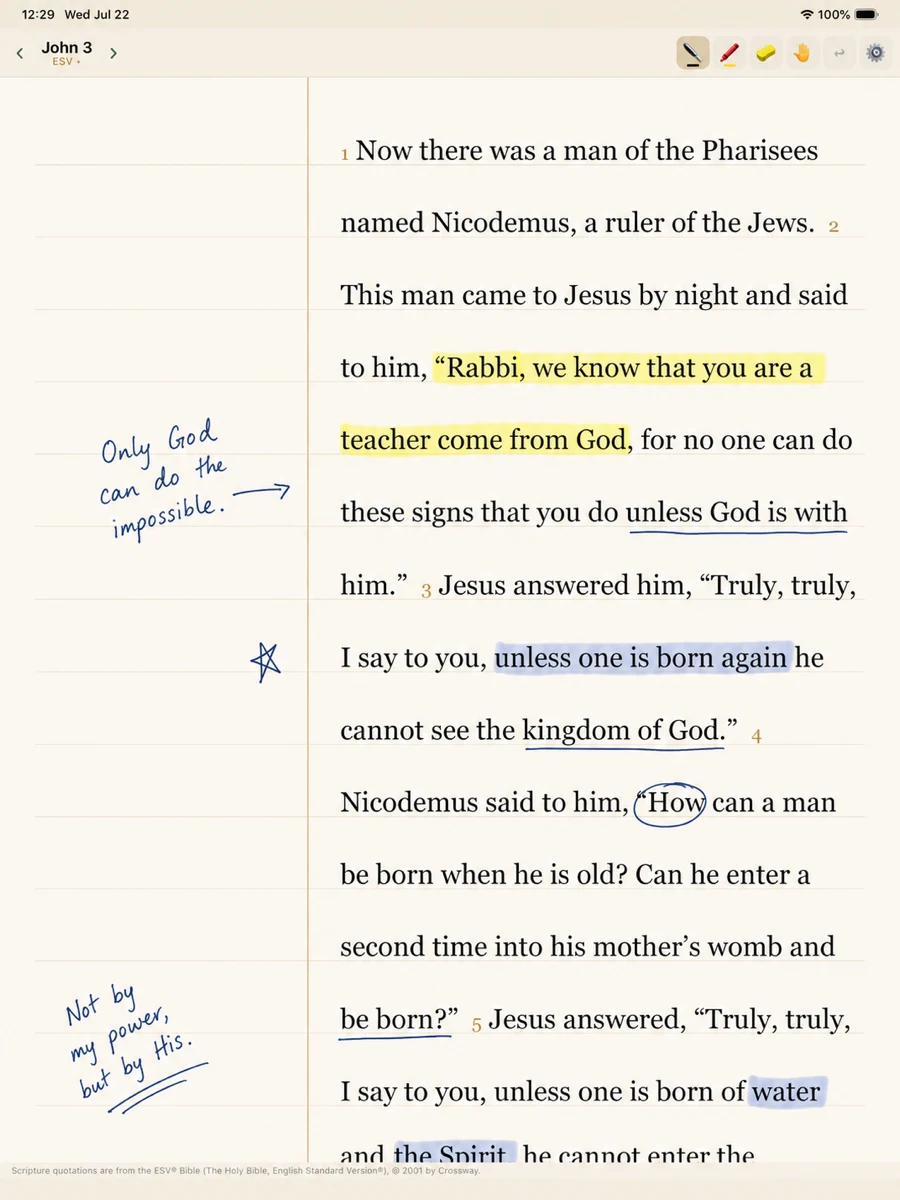
Natural, low-latency ink with pressure and highlighting — Apple Pencil on iPad, S Pen on Android, and your finger on iPhone. Underline a verse or sketch a thought as easily as on paper.

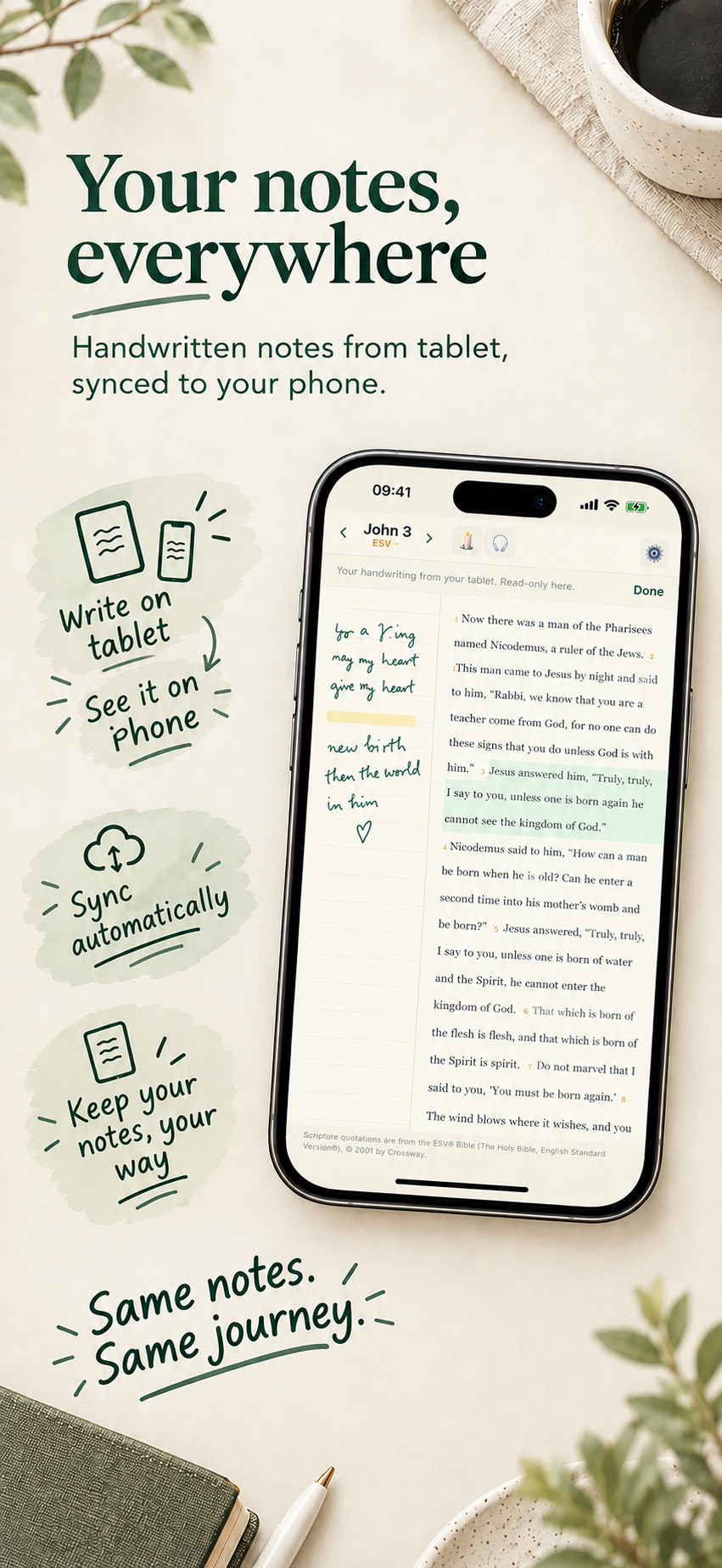
Notes live in the margin
A true ruled page with a writing margin that follows your hand. Your annotations stay anchored to the text — even as you switch translations.

Calm by design
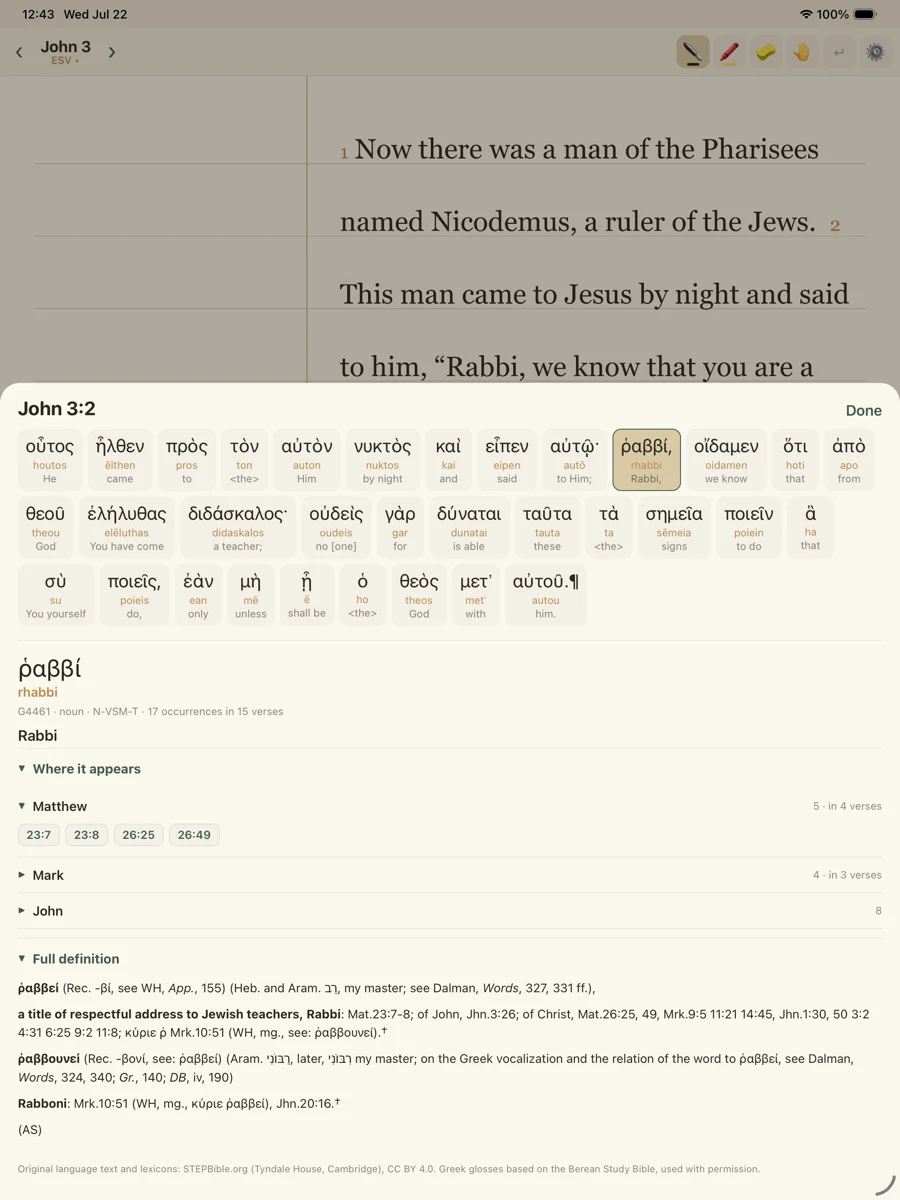
No notifications, no social feed, no noise. Multiple translations and languages, wrapped in a paper-quiet reading space.

Your notes stay yours
Notes are kept on your device and read beautifully across your tablets. Private by default — your study is between you and the Word.

Study notes at hand
The background to a passage, there when you want it and out of the way when you don't. Read what a verse meant before you write down what it means to you.

Listen while you read
An audio Bible that reads the passage aloud while your hands stay on the page. Follow along a verse at a time, or let a whole chapter carry you.

Ask in your own words
Search for “the parable about the lost sheep” or “where Paul talks about running a race”. You don't need the reference to find the verse.
Everything Scriptly does
The short version of every feature, and the honest limits of each.
Scriptly is out now
Download Scriptly free on the App Store or Google Play — iPhone, iPad and Android — and start writing notes in your Bible.